
Is your team stuck in “busy mode” instead of “progress mode”—and how would an external expert break that cycle?
August 21, 2025
Busy Mode vs. Progress Mode
Busy mode is like a computer overloaded with too many apps running. The signs include constant meetings, endless emails, a flurry of activity with little tangible output, and work that always feels like it’s “loading.”
How an External Expert Helps
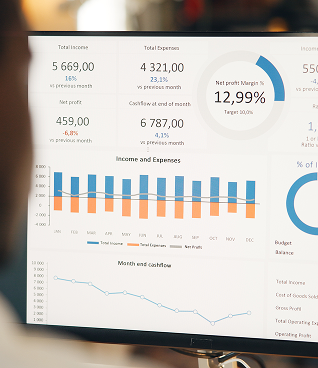
An external expert acts like an IT troubleshooter. They observe first, looking at the actual processes rather than just asking questions. They diagnose inefficiencies, such as Qlik Sense dashboards running slowly because analysts manually clean and transform data instead of using an automated pipeline, or Power BI reports crawling because of poorly optimized data models.
The Outcome
Much like checking a computer’s task manager, the expert identifies what’s hogging resources—whether it’s meetings, emails, manual tasks, or inefficient data models—and helps the team shift from busy mode into genuine progress mode.

Next, they analyze. They dive into the system’s configuration. They might find that your team is using outdated software versions, or that permissions are so convoluted that accessing necessary files becomes a daily struggle. They might discover that your data sources are scattered, forcing manual reconciliation instead of seamless integration. For instance, they might pinpoint that different departments are maintaining separate Excel sheets for customer data that should be feeding into a centralized data warehouse for a unified BI view. This is like them examining your system logs, network settings, and storage configurations to understand the root causes of the slowdowns.
Then comes the cycle break. This isn’t about blaming the team for having “too many apps open.” It’s about optimizing the system. The expert might suggest implementing automated data pipelines using tools like Azure Data Factory to feed Qlik Sense, eliminating manual cleaning. They could show how to design a more efficient star schema for your Power BI data models, dramatically speeding up report loading times. They might introduce version control systems for code and reports, preventing redundant work and “overwriting” issues. It’s like them closing unnecessary background applications, upgrading your RAM, optimizing your hard drive, or suggesting better software to run your core tasks more efficiently.
Their goal is to shift your team from merely “processing” to “producing.” They help you close down the unproductive “background apps” and focus computing power on what truly moves the needle. They provide the expertise to reconfigure your systems for peak performance, enabling progress instead of just busy work.
Are your “applications” constantly crashing or freezing? What are the common “error messages” your team experiences daily? How much “processing power” is being wasted on redundant or non-essential tasks? What would a “system upgrade” look like for your team’s workflow?
Recent Articles



Archives:
- February 2026 (2)
- January 2026 (2)
- November 2025 (8)
- October 2025 (2)
- September 2025 (3)
- August 2025 (5)
- July 2025 (6)
- June 2025 (2)
- May 2025 (1)
- April 2025 (2)
- March 2025 (2)
- February 2025 (4)